
Watch the attempt you just made before you chalk up again
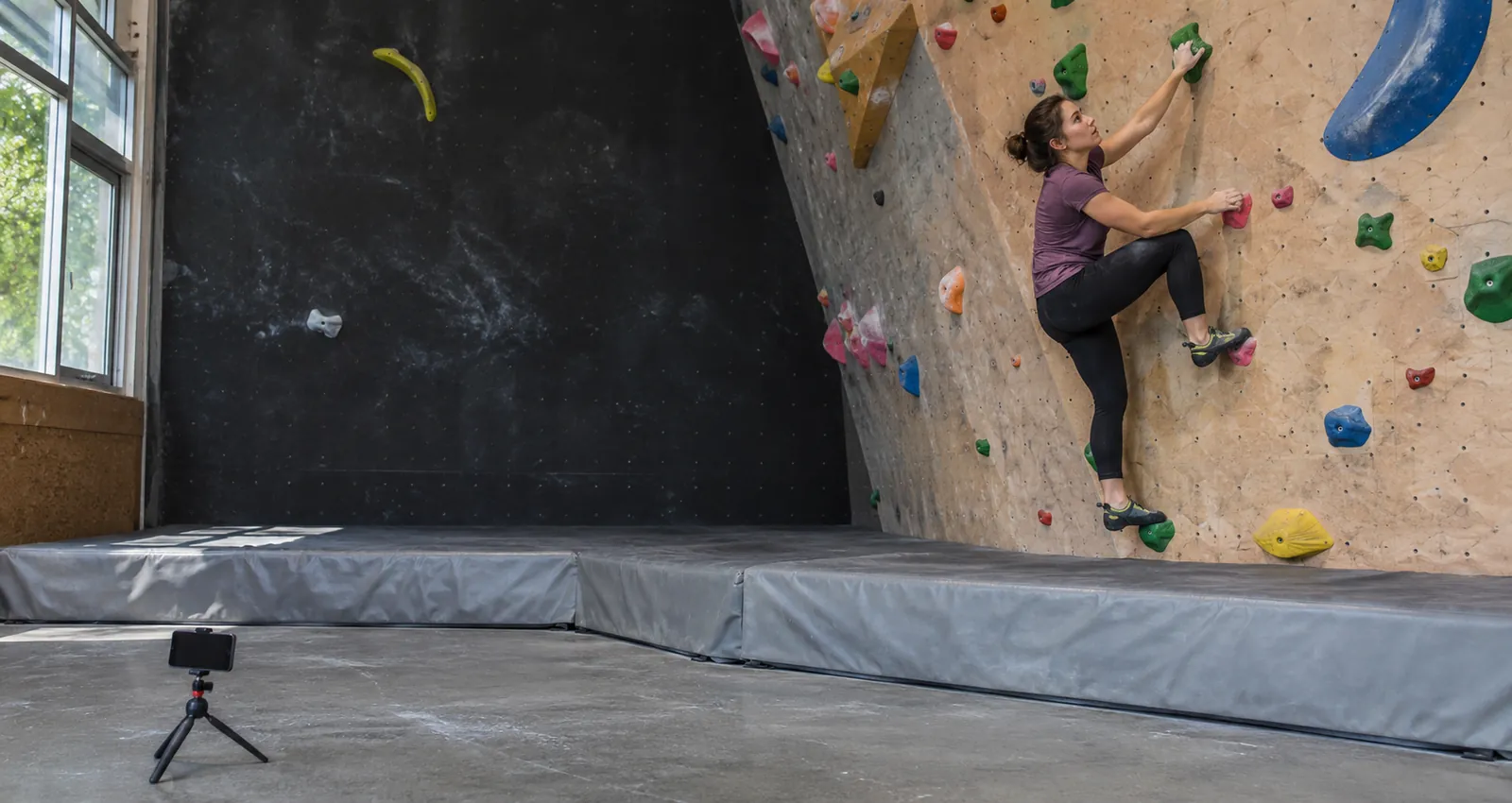
Phone on a small tripod, away from the mats. One tap saves the last attempt.

Free on Android and iPhone.
The attempts worth watching again
Where to put your phone
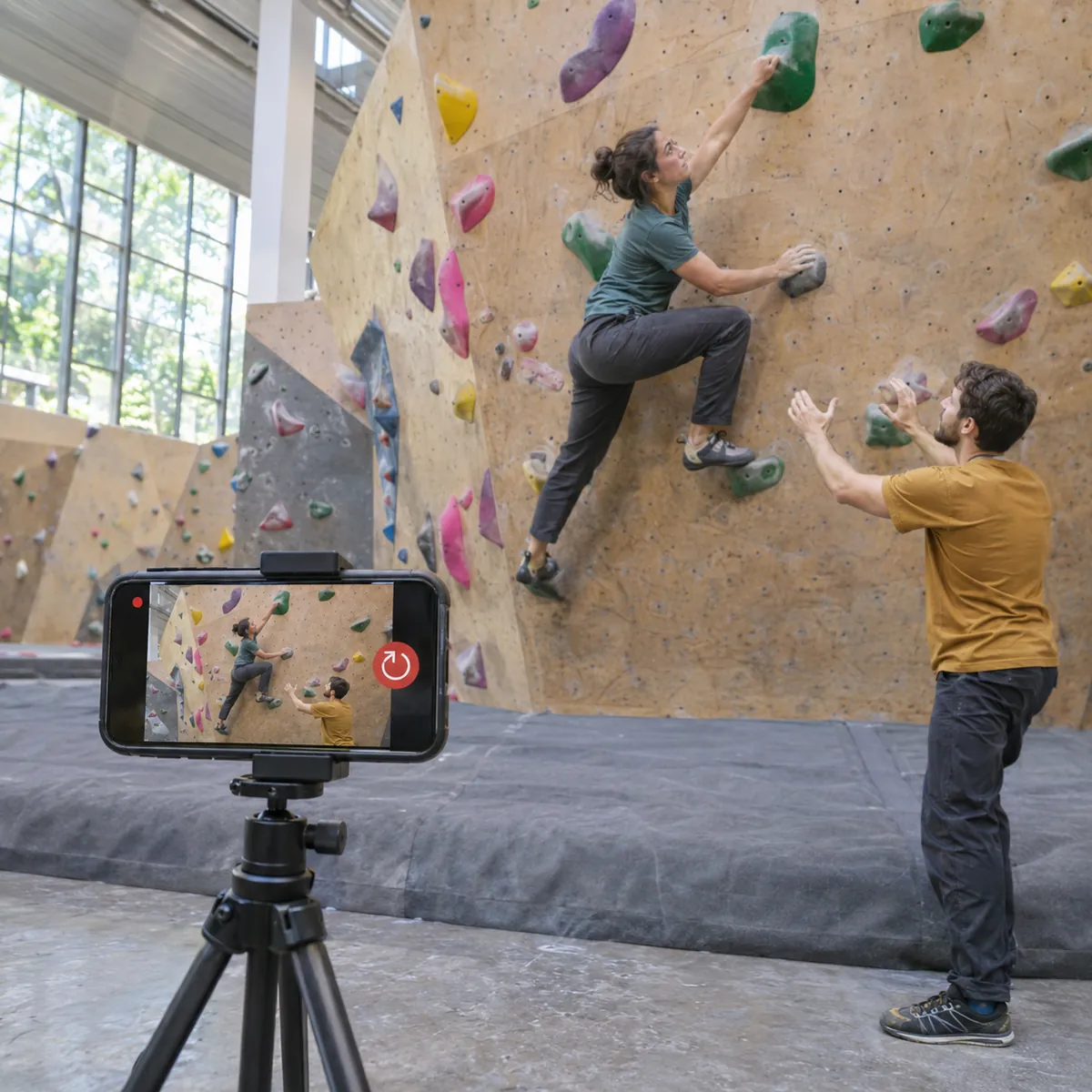
Climbers fall, so the phone stays out of the fall zone. Put it on a small tripod on the floor a few metres back from the wall, away from the mats, framing the whole problem or the first part of the route. Never on the crash pad, never under the climber.
- Back from the wall, the whole problemA few metres back, the phone sees the start, every hold and the top. Use it upright for tall walls and sideways for traverses.
- Off the mats, out of the fall zoneA climber who falls lands on the pad and may roll. Keep the tripod off the mats and away from the edges where people step back.
- A little to the sideSlightly off to one side, the clip shows the hips and the feet, not just your back. That is where the beta really is.
- Roped climbing: never the belayerOn a route, the belayer keeps both hands on the rope. Leave the phone on the tripod and let a friend on the ground tap Replay.
How it works at the wall
Bouldering, routes and the outdoor crag
At the bouldering gym the phone covers one wall and every problem on it. On routes, it frames the start and the crux from the ground. Outdoors, at the crag or the boulder, it stays on the ground away from the landing.
Free to start
The free plan gives you Replays every day, each one 30 seconds long. Recording and saving work without internet at the gym or the crag; only uploads wait for a connection. Paid plans remove the daily limit, let you choose the clip length and record the full session to cut later.
Climbing questions
Can I record if I climb alone?
Yes. Leave the phone on the tripod, climb, and tap Replay when you are back on the mat. The clip keeps the 25 seconds before the tap.
Is 30 seconds enough for a route?
For most boulder problems, yes. For longer routes, save the crux, or use a paid plan to record the whole session and cut it later.
Is it allowed in my gym?
Most gyms are fine with climbers filming themselves. Keep the tripod off the mats and out of the way, and ask the staff if you are not sure.
Does it work at the crag without signal?
Yes. Recording and Replays work offline. The video stays on your phone and only the upload to your VISU Link waits for a connection.
Does it work on iPhone?
Yes. Replay is in the VISU app on iPhone and Android. Download it free from the App Store or Google Play.
Your next send deserves a replay
Free on Android and iPhone. Set up the phone before the warm up problems and save the attempts worth studying.
For venues
Run a climbing gym?
Fixed cameras for venues, with installation and a quote, are on visu.network.
- Cameras with automatic recording
- Your venue on the app map, with its own page and QR Code
- No operator, no editing, no extra work